iTerm2 支持跳过单词的设置
Mac系统自带的终端工具,支持⌥←和⌥→的组合键跳过单词的,使用iTerm2后发现iTerm2默认不支持这个功能,于是Google,找到了解决办法;
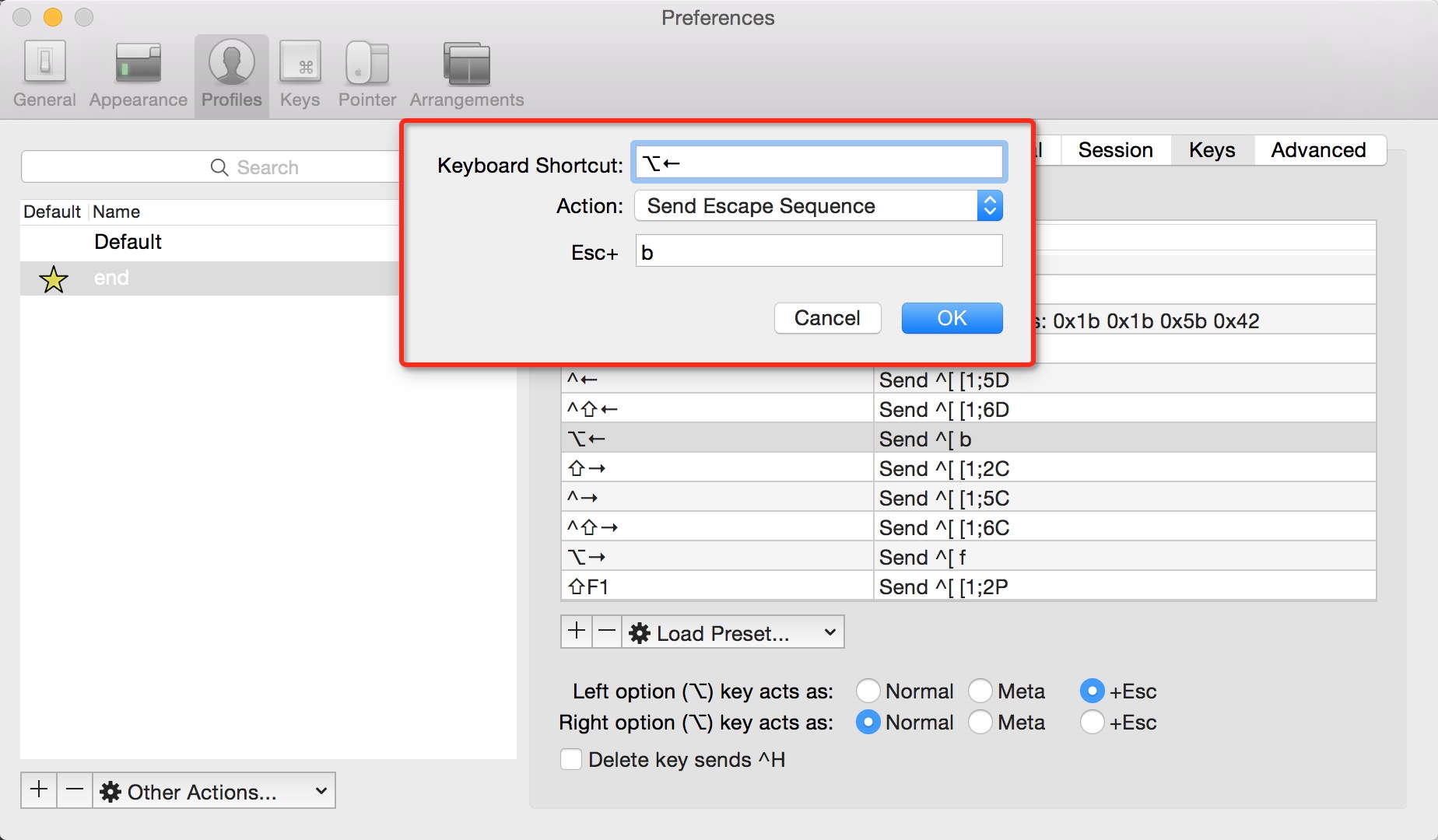
- 第三步 增加左热键,设置如下
- Keyboard Shortcut:
⌥← - Action: Send Escape Sequence
- Keyboard Shortcut:
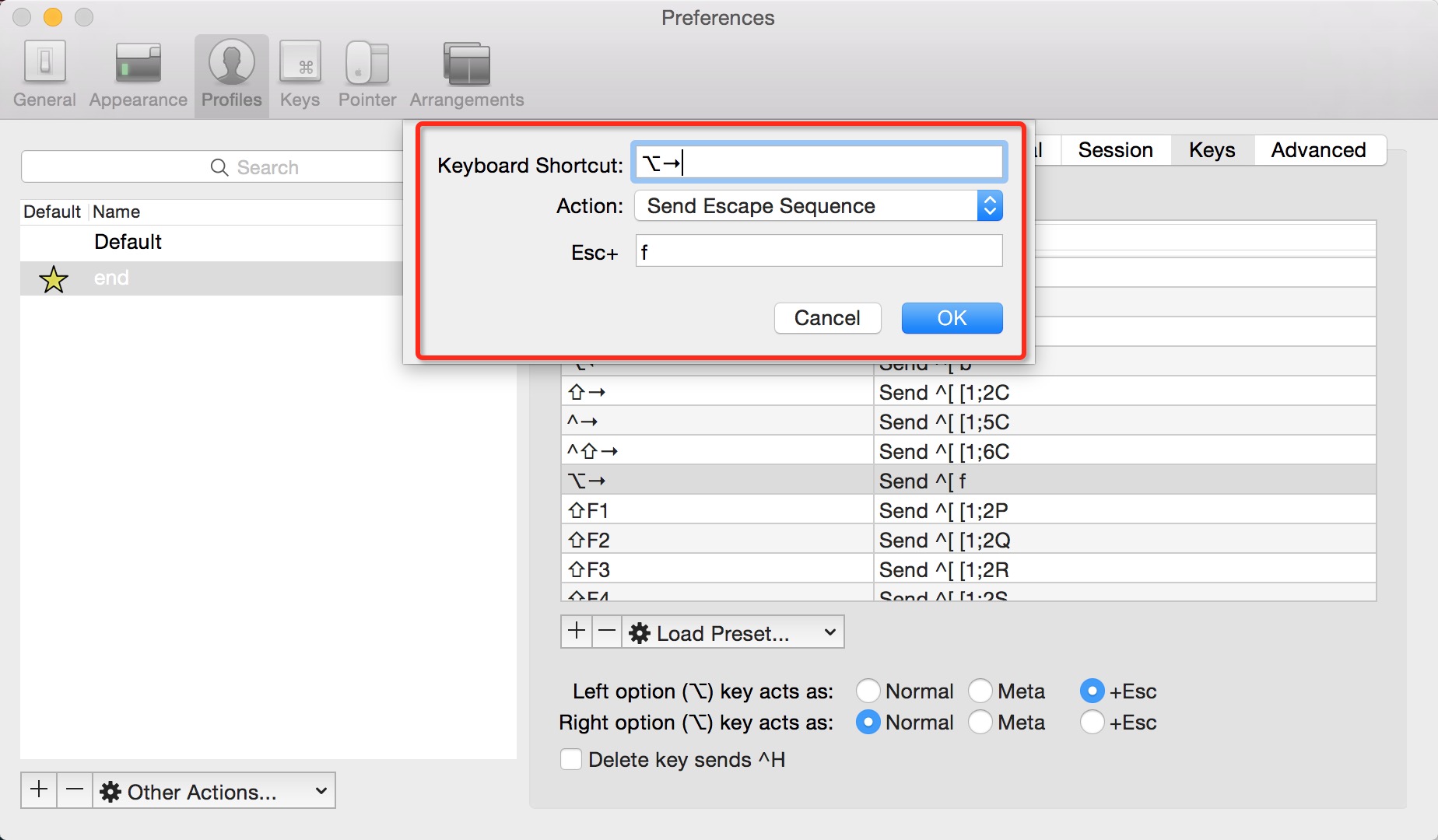
- 第四步 增加右热键,设置如下
- Keyboard Shortcut:
⌥→ - Action: Send Escape Sequence
- Keyboard Shortcut:
Esc+: f
Esc+: b
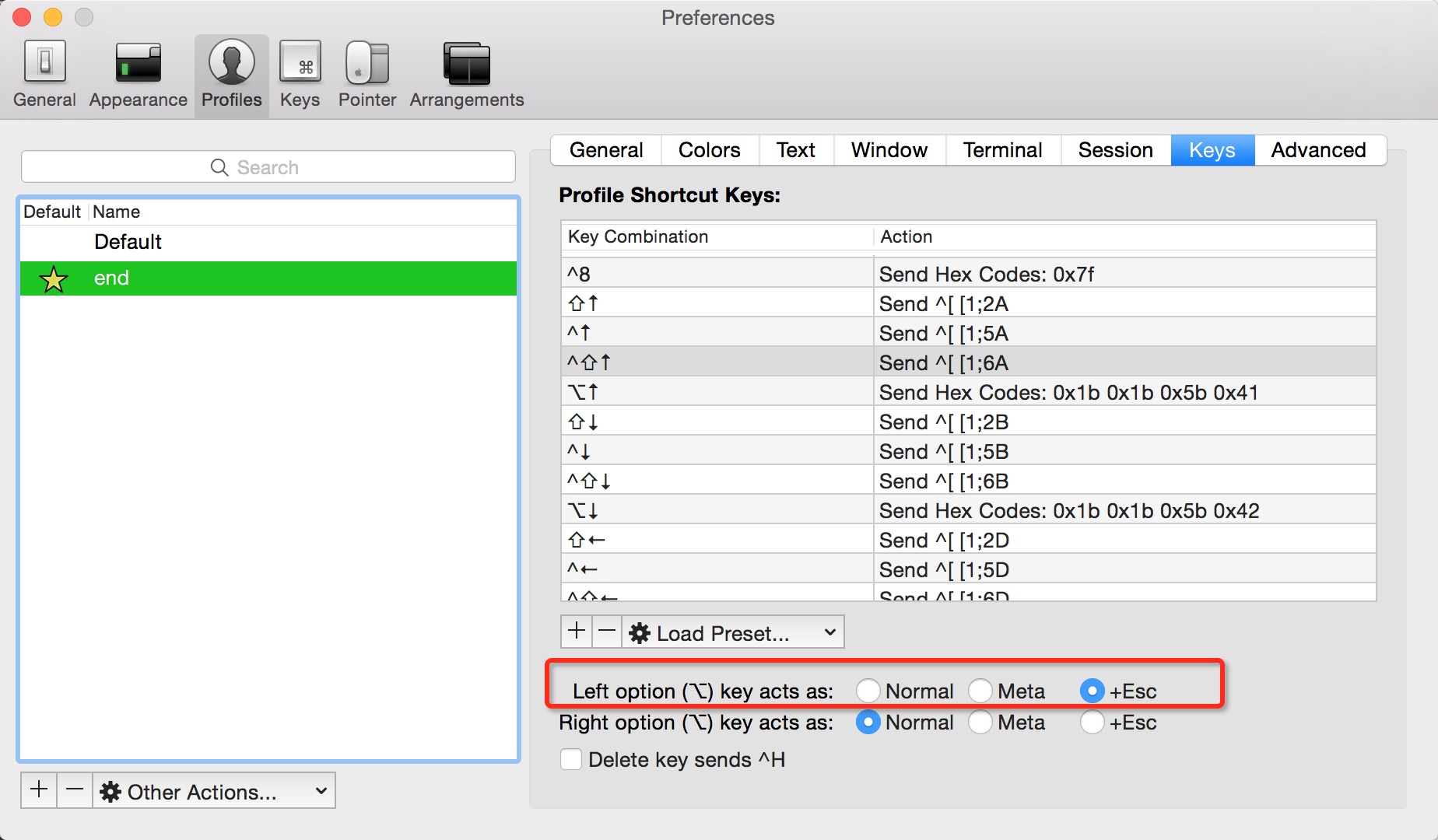
第二步 把左⌥键设置为escape character
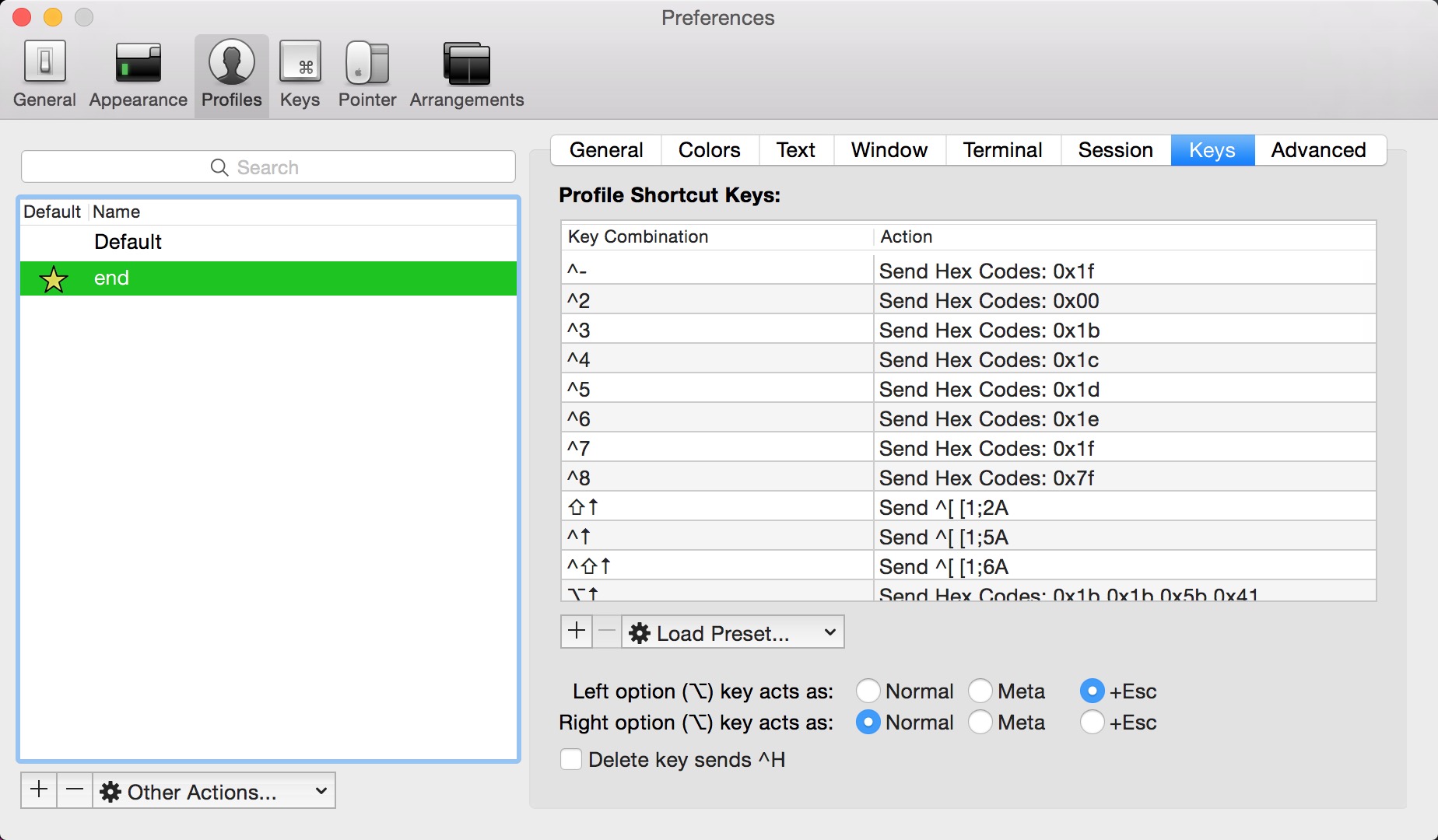
第一步 打开 iTerm2的设置
大功告成了,快来试试吧~~